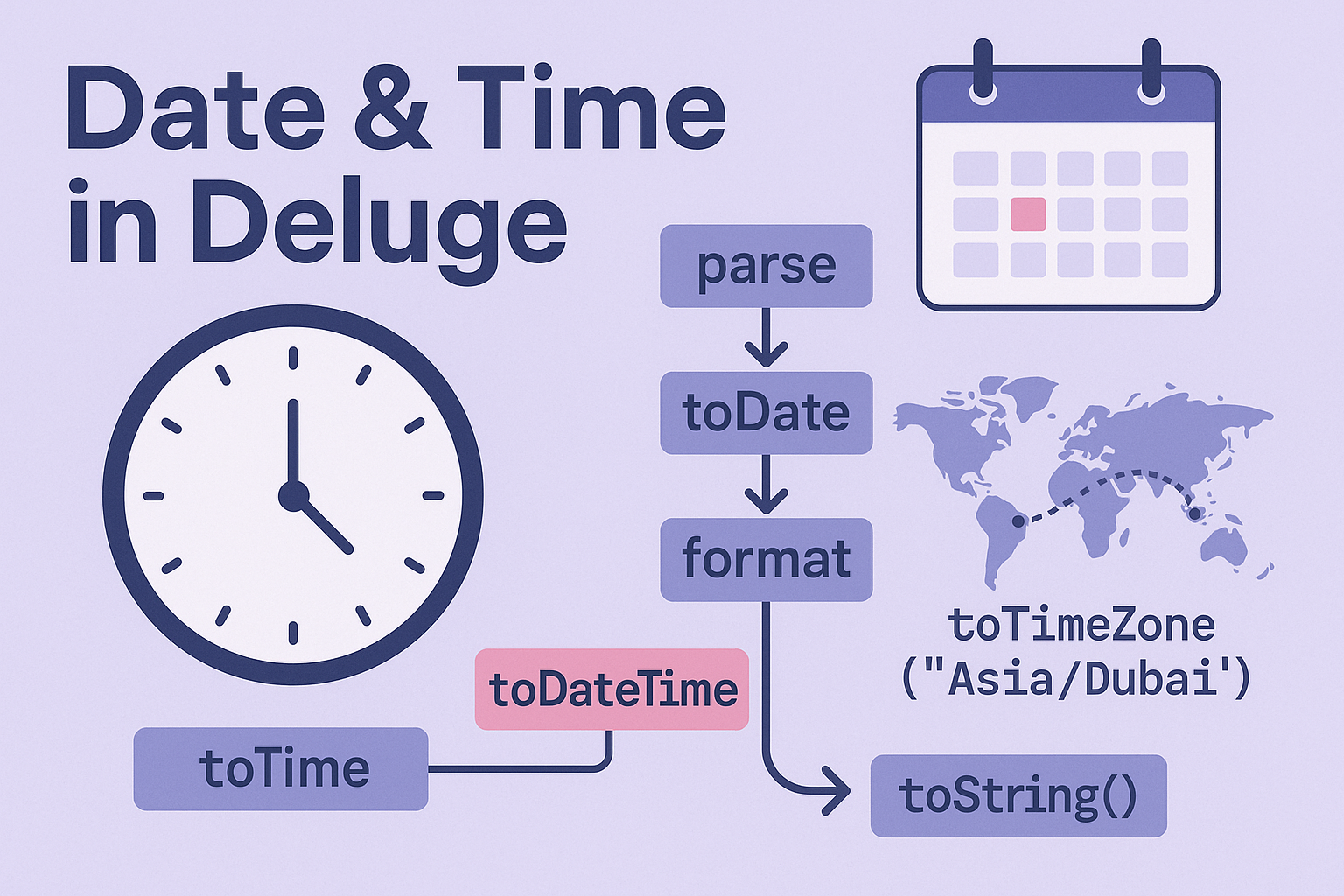
Zoho Deluge: Date & Time Format Conversion (parse, format, time zones, null-safety)
Thu Jan 23 2025
Deluge · Date/Time
Zoho Deluge: Date & Time Format Conversion (parse, format, time zones, null-safety)
Practical Deluge recipes to parse strings to dates, format Date/DateTime,convert time zones, and avoid null errors in Zoho CRM/Creator functions.
Common tasks
- Parse
String → Date/Time/DateTime - Format with
toString("pattern") - Convert with
toTimeZone("Area/City") - Null safety with
ifnull+ guards
Watch out for…
- Wrong format patterns (e.g.,
MMvsmm) - ISO timestamps with timezone suffix (use pattern
Z) - Empty strings — always guard before parsing
Parse strings to Date / Time / DateTime
// String -> Date
d1 = "2025-01-23".toDate("yyyy-MM-dd");
// String -> Time (24h)
t1 = "14:45:30".toTime("HH:mm:ss");
// String -> DateTime (no timezone)
dt1 = "2025-01-23 14:45:30".toDateTime("yyyy-MM-dd HH:mm:ss");

// ISO 8601 with timezone like 2025-01-23T14:45:30+04:00
dtIso = "2025-01-23T14:45:30+04:00".toDateTime("yyyy-MM-dd'T'HH:mm:ssZ");

// If you have a millisecond epoch in String:
epochMs = "1737612330000".toLong();            // String → Long
dtFromEpoch = epochMs.toDateTime();            // Long(epoch ms) → DateTime
Format dates/times to strings
// Date/DateTime -> String patterns
prettyDate  = d1.toString("dd MMM yyyy");               // 23 Jan 2025
prettyTime  = t1.toString("hh:mm a");                   // 02:45 PM
prettyStamp = dt1.toString("EEE, dd MMM yyyy hh:mm a"); // Thu, 23 Jan 2025 02:45 PM

// ISO-like output (no TZ info)
isoLocal = dt1.toString("yyyy-MM-dd'T'HH:mm:ss");
// With timezone offset in output
isoWithTZ = dtIso.toString("yyyy-MM-dd'T'HH:mm:ssZ");
Convert time zones
Convert a DateTime to a different zone using IANA names (e.g., Asia/Dubai).
// Start with a DateTime (assume dtIso is parsed above)
inDubai   = dtIso.toTimeZone("Asia/Dubai");
inUTC     = dtIso.toTimeZone("UTC");
inPacific = dtIso.toTimeZone("America/Los_Angeles");

// Format after conversion
stampDubai = inDubai.toString("yyyy-MM-dd HH:mm:ss");
Null-safety helpers
Never parse empty strings; always guard and fall back gracefully.
// Safe parse wrappers
parseDateSafe = (s as String) =>
{
  if (isNull(s) || s.trim() == "")
  {
    return null;
  }
  return s.toDate("yyyy-MM-dd"); // adjust pattern for your input
};

parseDateTimeSafe = (s as String, pattern as String) =>
{
  if (isNull(s) || s.trim() == "")
  {
    return null;
  }
  return s.toDateTime(pattern);
};

// Usage
maybeDT = parseDateTimeSafe(input.Created_At, "yyyy-MM-dd'T'HH:mm:ssZ");
whenStr = ifnull(maybeDT, zoho.currenttime).toString("dd MMM yyyy hh:mm a");
CRM & Creator field patterns
- CRM Date fields often come as
yyyy-MM-dd. - CRM DateTime (ISO) often includes offset:
yyyy-MM-dd'T'HH:mm:ssZ. - Creator Date/DateTime formatting depends on form settings; inspect sample values and match patterns.
End-to-end example (transform & store)
// Input from CRM (string); normalize to UTC stamp for an external system
raw = ifnull(input.Closed_Time, "");
dt  = parseDateTimeSafe(raw, "yyyy-MM-dd'T'HH:mm:ssZ");  // handles ...+04:00
utc = ifnull(dt, zoho.currenttime).toTimeZone("UTC");
payloadStamp = utc.toString("yyyy-MM-dd'T'HH:mm:ss'Z'");

// Include in your outbound payload
out = Map();
out.put("closed_at_utc", payloadStamp);
Pattern cheatsheet
yyyy=year,MM=month,dd=dayHH=24h hours,hh=12h hours,mm=minutes,ss=secondsa=AM/PM,EEE=weekday short,Z=numeric timezone (e.g., +04:00)- Always match the input pattern exactly when parsing.