Try-Catch in Deluge: Safer Integrations and Better Error Handling
Mon Mar 30 2026
Deluge · Error Handling
Try-Catch in Deluge: Safer Integrations and Better Error Handling
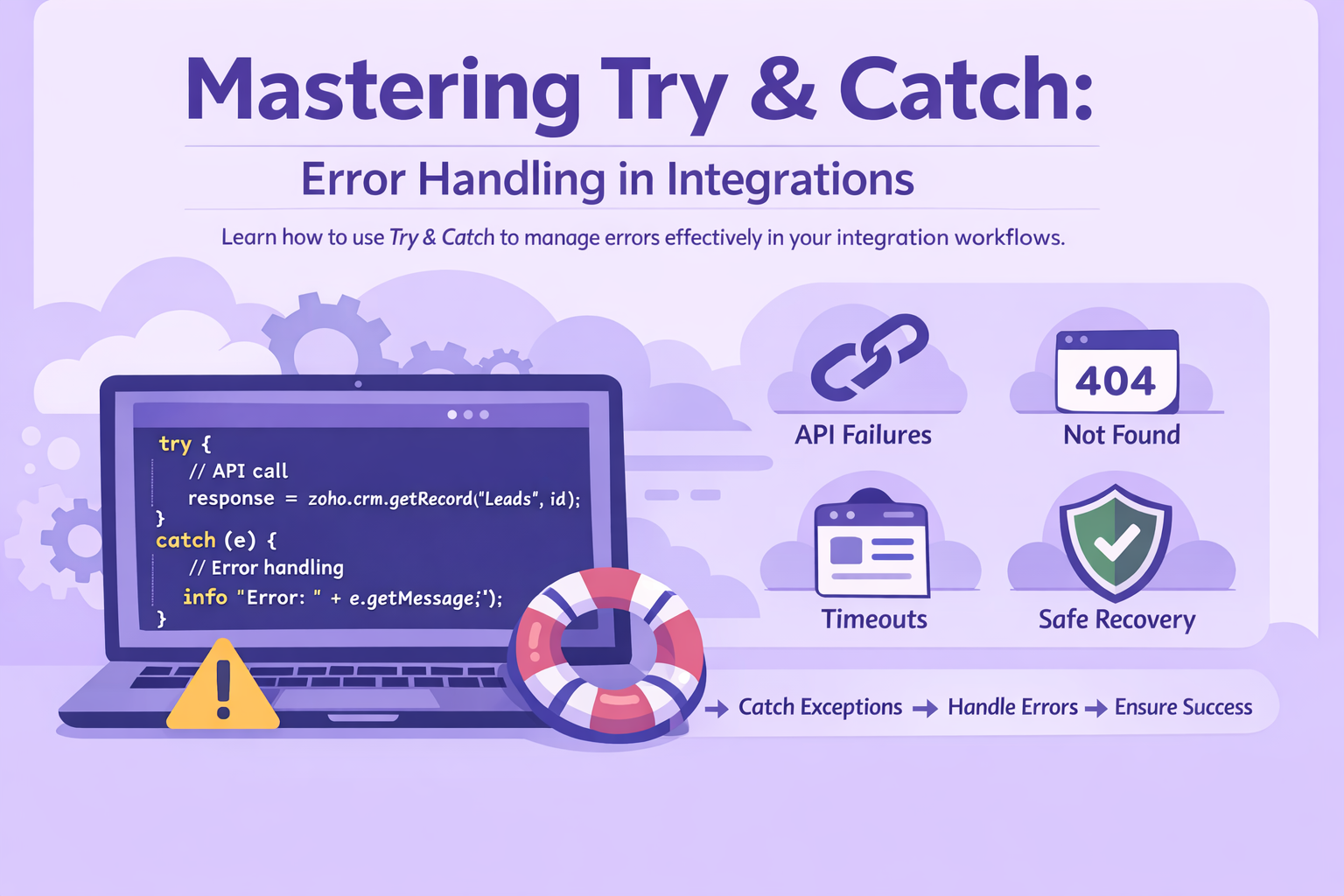
In Deluge integrations, the real problem is not only writing code that works — it is writing code that fails safely. A good try-catch pattern helps you handle API errors, bad responses, null values, and unexpected runtime issues without breaking the full flow.
Good usage
- Wrap only the risky integration step
- Log useful context like record ID and payload
- Check API response after the request succeeds
- Separate fatal failures from optional ones
Wrong usage
- Wrapping a huge block of unrelated code
- Using catch instead of proper null checks
- Assuming no exception means API success
- Swallowing the error silently
What try-catch does in Deluge
Deluge supports try-catch for handling runtime errors. You place code that may fail inside the try block, and if an error happens, Deluge moves execution to the catch block.
try
{
    // code that may fail
}
catch(e)
{
    info e.message;
    info e.lineNo;
}
This is especially useful in integrations, where failures often come from outside your code: API timeouts, invalid responses, missing permissions, bad data, or unexpected null values.
Why it matters so much in integrations
In normal logic, most errors come from your own script. In integrations, errors also come from external systems. That means even correct code can fail because the remote side is slow, unavailable, or returned data in a shape you did not expect.
A strong Deluge integration does not only work when everything is perfect. It also tells you clearly what failed, where it failed, and what should happen next.
The most common mistake
A lot of developers wrap the whole function in one large try-catch. That usually makes debugging worse because you no longer know which exact step failed.
// Too broad
try
{
    // create record
    // call API
    // upload file
    // update another system
    // send email
}
catch(e)
{
    info "Error";
}
That catches the failure, but it hides the real location of the problem. A better approach is to keep the try block narrow and wrap only the risky step.
payload = Map();
payload.put("Last_Name","Badawy");
payload.put("Email","test@example.com");

try
{
    resp = zoho.crm.createRecord("Leads",payload);
}
catch(e)
{
    info "CRM create failed";
    info e.message;
    info e.lineNo;
}
Use try-catch for runtime errors, not for normal validation
This is one of the biggest differences between clean code and weak code. If a situation is expected, validate it first. Do not use catch as a replacement for proper checks.
Weak pattern
try
{
    email = contact.get("Email").toLowerCase().trim();
}
catch(e)
{
    email = "";
}
Better pattern
email = "";
if(contact.get("Email") != null)
{
    email = contact.get("Email").toString().trim().toLowerCase();
}
Expected problems should be handled with validation. Unexpected runtime failures should be handled with try-catch.
Best pattern for API integrations
When you call an API, there are really two possible failure layers:
- The request itself fails at runtime
- The request succeeds, but the API still returns a business failure
That means a safe integration should handle both.
api_resp = null;

try
{
    api_resp = invokeurl
    [
        url : "https://example.com/api/order"
        type : POST
        headers : {"Content-Type":"application/json"}
        body : payload.toString()
        connection : "external_conn"
        detailed : true
    ];
}
catch(e)
{
    info "Transport-level failure";
    info e.message;
    info e.lineNo;
    return;
}

status_code = api_resp.get("responseCode");
response_text = api_resp.get("responseText");

if(status_code != 200 && status_code != 201)
{
    info "API returned failure";
    info status_code;
    info response_text;
    return;
}
No exception does not always mean success. The HTTP call may succeed and still return an error response that your script must check explicitly.
Always initialize variables before try
Another useful habit is to declare variables before the try block. This makes your later logic much cleaner.
resp = null;

try
{
    resp = invokeurl
    [
        url : "https://example.com/api/test"
        type : GET
        connection : "external_conn"
    ];
}
catch(e)
{
    info e.message;
}

if(resp != null)
{
    info resp;
}
Log useful context, not only the error text
If your catch block only says info "Error", it will not help much in production. Good logging should include the context around the failure.
lead_id = input.lead_id;
payload = Map();
payload.put("Lead_Id",lead_id);
payload.put("Status","Qualified");

try
{
    api_resp = invokeurl
    [
        url : "https://example.com/api/lead/update"
        type : POST
        headers : {"Content-Type":"application/json"}
        body : payload.toString()
        connection : "external_conn"
    ];
}
catch(e)
{
    info "Lead sync failed";
    info "Lead ID: " + lead_id;
    info "Payload: " + payload.toString();
    info "Message: " + e.message;
    info "Line: " + e.lineNo;
}
Handle each integration step separately
In multi-step automations, not every failure should stop everything. Treat each dependency as its own step.
- 1
Create the main record
If this fails, the whole process usually should stop.
- 2
Upload optional file
If this fails, maybe continue but mark the record for follow-up.
- 3
Create a secondary sync
Useful to isolate in its own try-catch so it does not hide the primary failure.
- 4
Send notification
This is often non-fatal and should not cancel the core transaction.
crm_resp = null;
desk_resp = null;

try
{
    crm_resp = zoho.crm.createRecord("Deals",deal_map);
}
catch(e)
{
    info "CRM step failed: " + e.message;
    return;
}

try
{
    desk_resp = zoho.desk.create("tickets",org_id,ticket_map);
}
catch(e)
{
    info "Desk step failed: " + e.message;
}
Fatal vs non-fatal errors
A very useful design trick is deciding which failures are fatal and which are not.
Fatal failures
- Main record creation failed
- Required authentication failed
- Critical source data is invalid
- Duplicate prevention logic failed
Non-fatal failures
- Optional email failed
- Optional file upload failed
- Secondary sync failed
- Side logging service failed
A practical reusable pattern
This is a strong pattern for Deluge integrations because it keeps validation, runtime handling, and API response handling clearly separated.
record_id = input.record_id;
sync_status = "Pending";
error_message = "";
api_resp = null;

payload = Map();
payload.put("record_id",record_id);
payload.put("customer_name",input.Customer_Name);
payload.put("email",input.Email);

if(payload.get("customer_name") == null || payload.get("email") == null)
{
    sync_status = "Failed";
    error_message = "Required values missing before API call";
}
else
{
    try
    {
        api_resp = invokeurl
        [
            url : "https://example.com/api/customer"
            type : POST
            headers : {"Content-Type":"application/json"}
            body : payload.toString()
            connection : "external_conn"
            detailed : true
        ];

        response_code = api_resp.get("responseCode");
        response_text = api_resp.get("responseText");

        if(response_code == 200 || response_code == 201)
        {
            sync_status = "Success";
        }
        else
        {
            sync_status = "Failed";
            error_message = "API returned status " + response_code + " with response: " + response_text;
        }
    }
    catch(e)
    {
        sync_status = "Failed";
        error_message = "Runtime error at line " + e.lineNo + ": " + e.message;
    }
}

info sync_status;
info error_message;
What you should avoid
- Do not leave the catch block empty
- Do not use try-catch instead of null checks
- Do not assume every API error throws an exception
- Do not wrap many unrelated operations in one block
- Do not hide failures from admins or support teams
Silent failure is one of the worst integration problems. The user thinks the sync worked, but the data is only half processed and nobody knows where it broke.
Final thought
try-catch in Deluge is not just a safety net. It is part of integration design. The goal is not to pretend failures do not happen. The goal is to handle them clearly, safely, and in a way that makes debugging easier later.
Quick summary
- Keep try blocks small and focused
- Validate expected input before risky operations
- Log
e.messageande.lineNo - Check API response even when no exception happens
- Separate fatal and optional integration failures
- Never swallow errors silently