Making a File Upload Field Mandatory in a Zoho CRM Blueprint Transition
Sun Jun 21 2026
Zoho CRM · Blueprint · Client Scripts
Making a File Upload Field Mandatory in a Zoho CRM Blueprint Transition
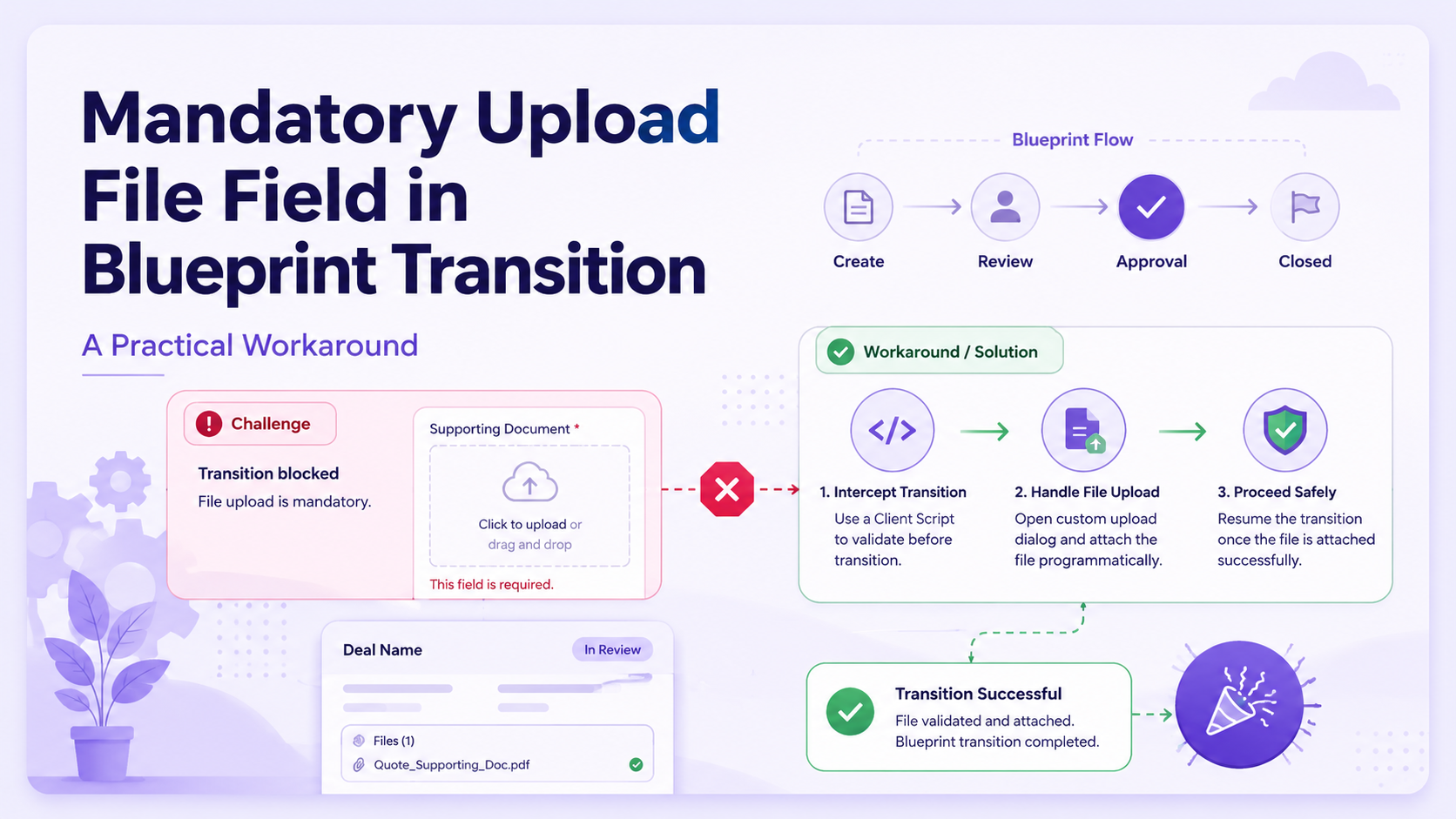
Zoho CRM Blueprints control how records move through a process, but file upload fields cannot always be made mandatory directly inside a Blueprint transition. A practical workaround is to validate the saved file field with a Client Script before the transition continues.
Workaround
- Use a Client Script on the Blueprint
beforeTransitionevent - Read the transition selected by the user
- Fetch the current CRM record by ID
- Return
falsewhen the required file is missing
Important limitation
- The file must already be uploaded and saved on the record
- This validates CRM UI transitions, not API-driven transitions
- Use API names for the module and file upload fields
Example requirement
In this example, the Policies module contains three Blueprint transitions. Each transition requires a different file upload field before the user can continue.
Mark Policy Created
Required file field: Policy Document File
Save Amendment
Required file field: Amendment File
Mark Carrier Confirmed
Required file field: Carrier Confirmation File
If the required file field is empty, the user sees a clear error message and the Blueprint transition is stopped.
Client Script configuration
Create the Client Script with this setup:
- Module: Policies
- Page: Detail Page
- Category: Blueprint Event
- Event: beforeTransition
- Layout: Select the layout used by the Blueprint
The transition argument is automatically available inside this event, so the same script can validate different required files for different transitions.
Client Script
var transitionName = "";

try {
    transitionName = transition.getName ? transition.getName() : transition.name;
} catch (e) {
    transitionName = "";
}

var recordId = $Page.record_id;
var policyRecord = ZDK.Apps.CRM.Policies.fetchById(recordId);

function isFileEmpty(fileValue) {
    if (fileValue == null || fileValue == undefined) {
        return true;
    }

    if (typeof fileValue == "string" && fileValue.trim() == "") {
        return true;
    }

    if (Array.isArray(fileValue) && fileValue.length == 0) {
        return true;
    }

    return false;
}

if (transitionName == "Mark Policy Created") {
    var policyFileValue = null;

    if (policyRecord.Policy_Document_File != undefined) {
        policyFileValue = policyRecord.Policy_Document_File;
    } else if (policyRecord._Policy_Document_File != undefined) {
        policyFileValue = policyRecord._Policy_Document_File;
    }

    log("Policy Document File Value:");
    log(policyFileValue);

    if (isFileEmpty(policyFileValue)) {
        ZDK.Client.showMessage(
            "Please upload and save the Policy Document File before marking the policy as created.",
            { type: "error" }
        );
        return false;
    }
}

if (transitionName == "Save Amendment") {
    var amendmentFileValue = null;

    if (policyRecord.Amendment_File != undefined) {
        amendmentFileValue = policyRecord.Amendment_File;
    } else if (policyRecord._Amendment_File != undefined) {
        amendmentFileValue = policyRecord._Amendment_File;
    }

    log("Amendment File Value:");
    log(amendmentFileValue);

    if (isFileEmpty(amendmentFileValue)) {
        ZDK.Client.showMessage(
            "Please upload and save the Amendment File before saving the amendment.",
            { type: "error" }
        );
        return false;
    }
}

if (transitionName == "Mark Carrier Confirmed") {
    var carrierFileValue = null;

    if (policyRecord.Carrier_Confirmation_File != undefined) {
        carrierFileValue = policyRecord.Carrier_Confirmation_File;
    } else if (policyRecord._Carrier_Confirmation_File != undefined) {
        carrierFileValue = policyRecord._Carrier_Confirmation_File;
    }

    log("Carrier Confirmation File Value:");
    log(carrierFileValue);

    if (isFileEmpty(carrierFileValue)) {
        ZDK.Client.showMessage(
            "Please upload and save the Carrier Confirmation File before confirming the policy.",
            { type: "error" }
        );
        return false;
    }
}

return true;
How the script works
- 1
Identify the selected transition
The script reads the transition name from
transition.getName()when available, then falls back totransition.name. - 2
Fetch the current record
The current Policy record is retrieved with
$Page.record_idandZDK.Apps.CRM.Policies.fetchById(recordId). - 3
Check whether the file is empty
The helper treats
null,undefined, empty strings, and empty arrays as missing values. - 4
Block the transition
When the required file is missing, the script shows an error message and returns
falseto prevent the transition from completing.
Important notes
- The file must be uploaded and saved on the record before the transition is selected. Because the script uses
fetchById(), it reads the saved CRM record, not an unsaved file currently being added to the page. - Replace
Policies, the Blueprint transition names, file upload field API names, and error messages before using this in another module. - The underscore-prefixed field checks are included as a fallback. Use the Client Script logs to confirm the exact property name returned in your CRM environment.
- Client Scripts run in the CRM interface. If the Blueprint transition is executed through an API or another server-side process, add separate server-side validation.
Using the Blueprint
beforeTransition event gives users a clear message, prevents incomplete records from progressing, and allows multiple transitions and file fields to be controlled from one Client Script.